**Docker announced a hub for MCP tools, called Docker MCP Catalog. This catalog is a service that makes it easier to exchange MCP servers and clients.**
Image: Generated with AI
## The details
* The MCP Catalog is a trusted and centralized hub for developers to discover MCP tools. According to Docker, this moment for MCP is similar to the early days of cloud computing and containers.
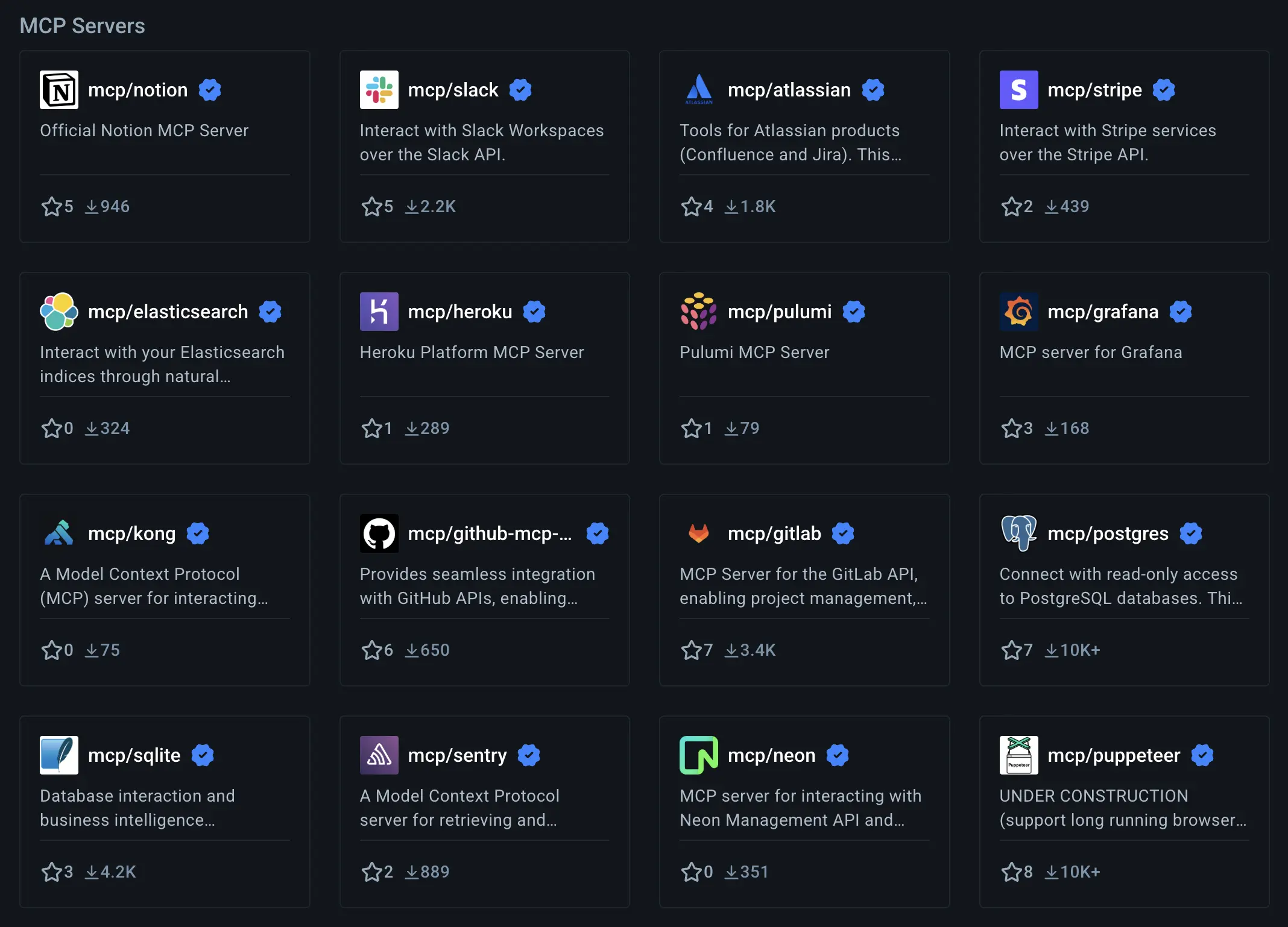
* Starting in May, the Docker MCP Catalog will include over 100 verified tools from partners like Stripe, Elastic, Notion, and more. It could be the new trusted home for developers to discover MCP tools.
* Similar to container images, MCP tools will be distributed through Docker’s reliable pull-based system, which is used for billions of downloads each month.
* Alongside the catalog, the Docker MCP Toolkit makes these tools work securely on your computer or anywhere Docker runs. With just one click, you can launch an MCP server from Docker Desktop and connect it to clients like VS Code or Goose.
Docker Hub for MCP Tools (Screenshot by authors)
**Our thoughts**
Currently, there is no trusted centralized platform to make MCP tools available in a production-ready way. By default, the Docker MCP Catalog enables containerization. This allows easy and secure distribution of MCP Tools.
Docker has over 20 million developers worldwide who pull billions of images every month. We are confident that the MCP Catalog will significantly enrich the path towards agentic AI. After the release of [Docker Model Runner](https://tinztwinshub.com/data-science/run-genai-models-locally-with-docker-model-runner/) a few weeks ago, Docker is becoming the hub for AI tools.
**More information:** 🔗 [Docker](https://www.docker.com/blog/introducing-docker-mcp-catalog-and-toolkit/){:target="_blank" rel="noopener"}
## Magic AI tool of the week
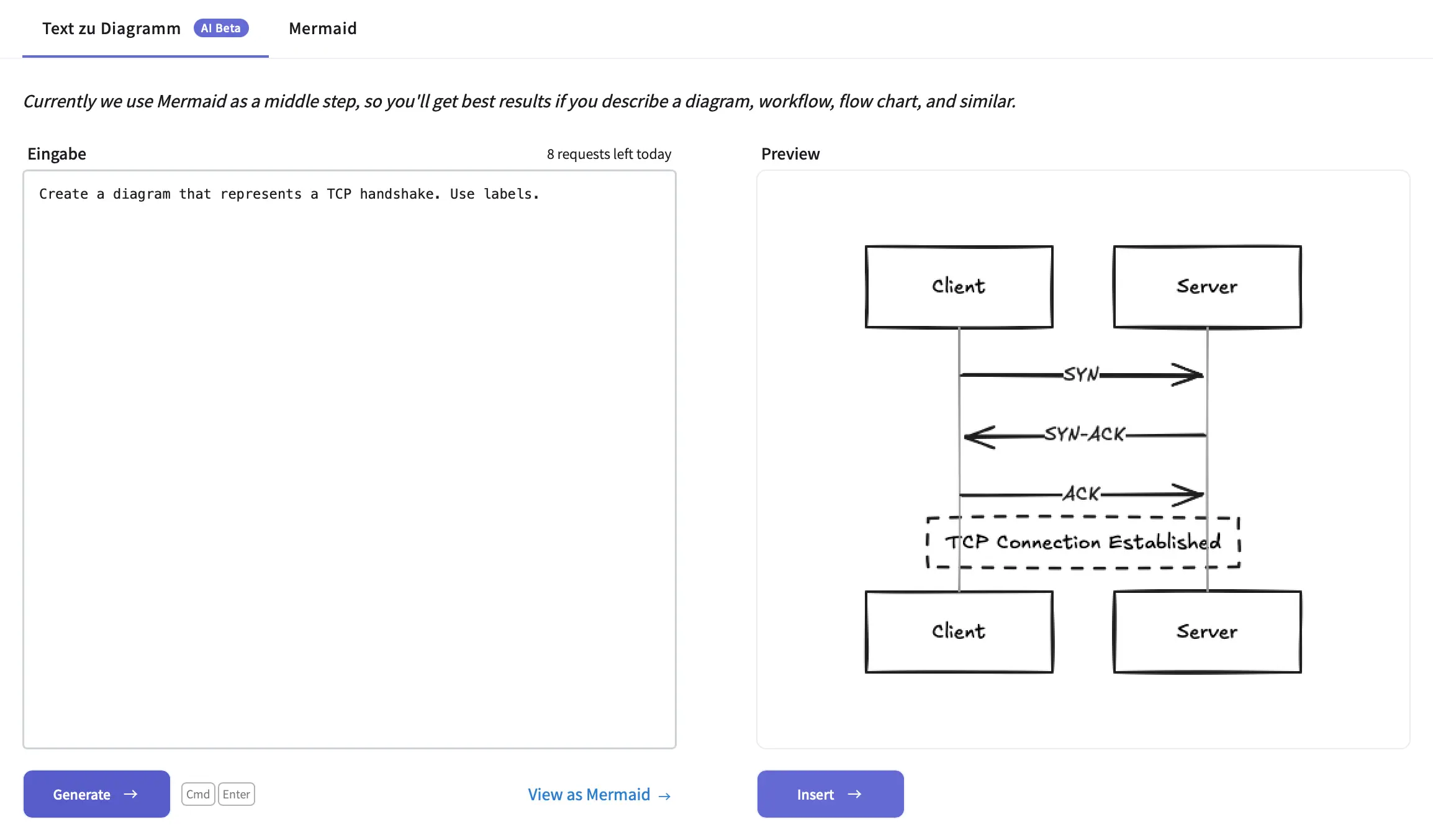
Do you want to create beautiful diagrams for technical topics, such as visualizing a TCP handshake? Then, you need an easy-to-use tool.
Excalidraw is exactly the tool you are looking for! This tool makes it very easy to create diagrams. It is an open-source, privacy-focused, and user-friendly sketching tool. Best of all, you can use AI assistance to create diagrams from a text prompt.
Wow, this is really cool!
**Example:**
Excalidraw AI feature (Screenshot by authors)
We often use [Excalidraw](https://excalidraw.com/){:target="_blank" rel="noopener"} to create hand-drawn diagrams for our social media posts. Additionally, we use this tool to make our [popular data science cheat sheets](https://tinztwinshub.com/blog/). The AI feature is a helpful addition.
## Hand-picked articles of the week
* [Build a Local AI Agent to Chat with Financial Charts Using Agno](https://tinztwinshub.com/investment-research/build-a-local-ai-agent-to-chat-with-financial-charts-using-agno/)
* [Run GenAI Models locally with Docker Model Runner](https://tinztwinshub.com/data-science/run-genai-models-locally-with-docker-model-runner/)
* [Portfolio Allocation - How to Analyze a Stock Portfolio Using Python](https://tinztwinshub.com/investment-research/portfolio-allocation-how-to-analyze-a-stock-portfolio-using-python/)
😀 Do you enjoy our content? If so, why not support us with a small financial contribution? As a supporter, you can comment on newsletter editions (e-mail version) and read our website without banner ads.