**Google launched a new way to search using your voice. It’s called Search Live and is available in AI Mode. Enrolled users (only U.S.) in the AI Mode experiment in Labs can test it.**
Image: Generated with AI
## The details
* With the new Voice Mode, you can have voice conversations with Google Search in the Google app. In addition, it also displays links from the web.
* Search Live in AI mode uses a custom version of Gemini with advanced voice capabilities. Google also emphasizes that they use a special technique to display a wider and more diverse selection of helpful web content.
* In the coming months, Google plans to add more live capabilities, such as questions about live camera images.
* The new Voice Mode is perfect for situations when you can't type. In the video, Google shows an example. You can also switch from Voice Mode to text.
**Search Live demo** 👇🏽
**Our thoughts**
Google is currently going full speed ahead to update search for the AI era. The threat from OpenAI or xAI is real. Google makes most of its money from search. For this reason, they need to deliver to prevent customers from switching to competitors over time.
**More information:** 🔗 [Google blog](https://blog.google/products/search/search-live-ai-mode/){:target="_blank" rel="noopener"}
## Magic AI tool of the week
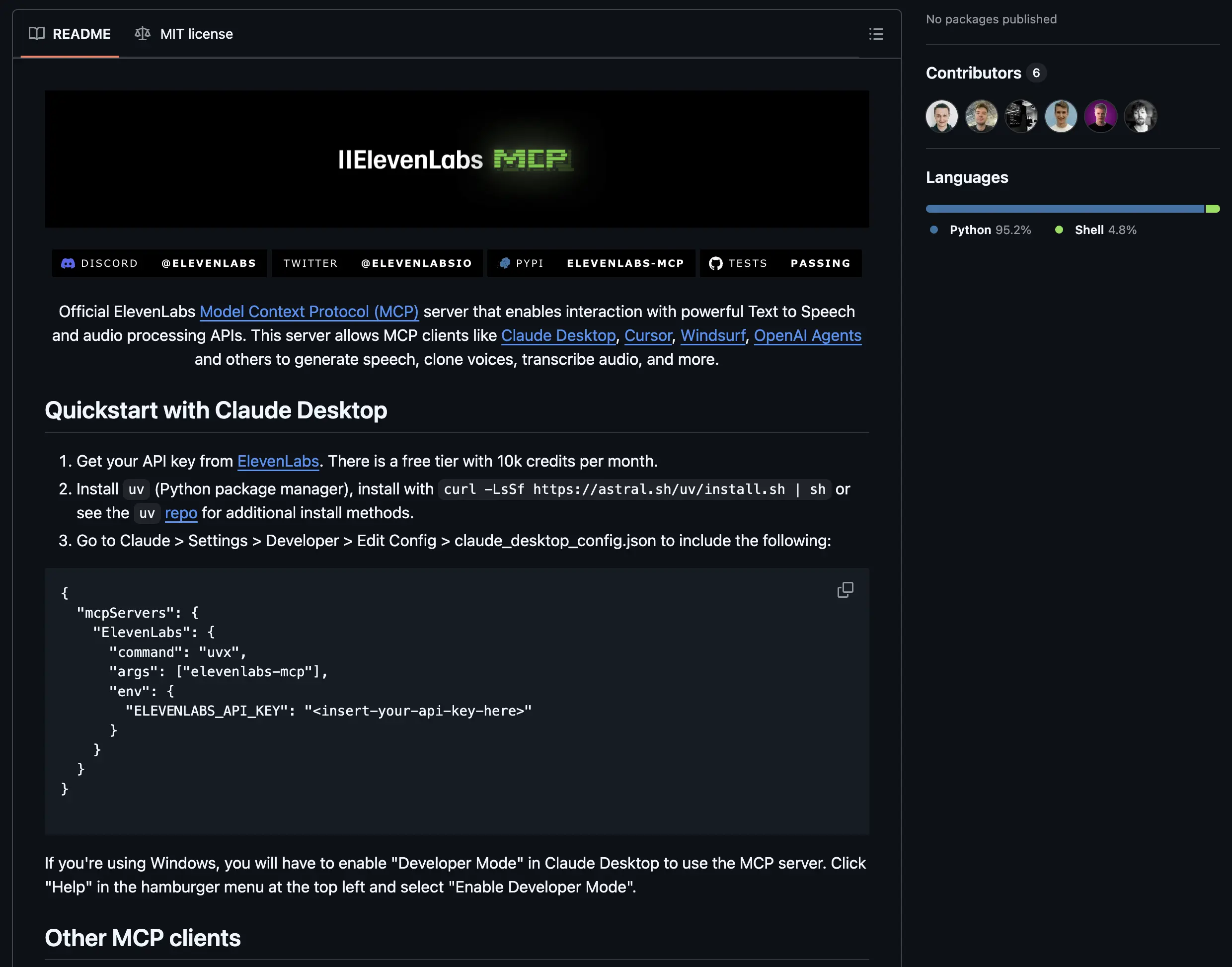
This week’s Magic AI tool is [ElevenLabs](https://try.elevenlabs.io/tce9uegh7rds){:target="_blank" rel="sponsored nofollow noopener"}*, a platform that uses advanced AI to generate realistic speech. Now, ElevenLabs offers an MCP server.
An [MCP server](https://tinztwinshub.com/data-science/an-introduction-to-anthropic-model-context-protocol-mcp-with-python/) is like an API designed for LLMs. It provides a large language model with context to access the full ElevenLabs AI audio platform.
ElevenLabs MCP server on GitHub (Screenshot by authors)
So, you can build Conversational AI voice agents that transcribe speech and generate audio, all with simple API calls.
**Step-by-Step Guide:**
* Sign up for free at [ElevenLabs.io](https://try.elevenlabs.io/tce9uegh7rds){:target="_blank" rel="sponsored nofollow noopener"}* (15 minutes of Conversational AI)
* Generate your API key: Navigate to your account settings and generate a new API key.
* Clone the official [ElevenLabs MCP server GitHub repo](https://github.com/elevenlabs/elevenlabs-mcp){:target="_blank" rel="noopener"}.
* Follow the installation guide in the README.
* Start the server with the provided CLI command. The server provides endpoints for audio generation, speech transcription, and Conversational AI.
* Connect the MCP server to your AI application and build impressive LLM apps. That’s it. 🎉🎉
👉🏽 [Try ElevenLabs for FREE](https://try.elevenlabs.io/tce9uegh7rds){:target="_blank" rel="sponsored nofollow noopener"}*
## Hand-picked articles
* [Run GenAI Models locally with Docker Model Runner](https://tinztwinshub.com/data-science/run-genai-models-locally-with-docker-model-runner/)
* [Portfolio Allocation - How to Analyze a Stock Portfolio Using Python](https://tinztwinshub.com/investment-research/portfolio-allocation-how-to-analyze-a-stock-portfolio-using-python/)
* [Mastering the Capital Asset Pricing Model (CAPM) Using Python](https://tinztwinshub.com/investment-research/mastering-the-capital-asset-pricing-model-using-python/)
😀 Do you enjoy our content? If so, why not support us with a small financial contribution? As a supporter, you can comment on newsletter editions (e-mail version) and read our website without banner ads.